Forty PDFs in a folder. A deadline on the calendar. And a tight feeling in your chest every time you open your reading list. If you feel overwhelmed by PDFs, you're not alone, and you don't need to read them all today. This 5-step calm-down plan helps you sort, shrink and start.
Quick answer
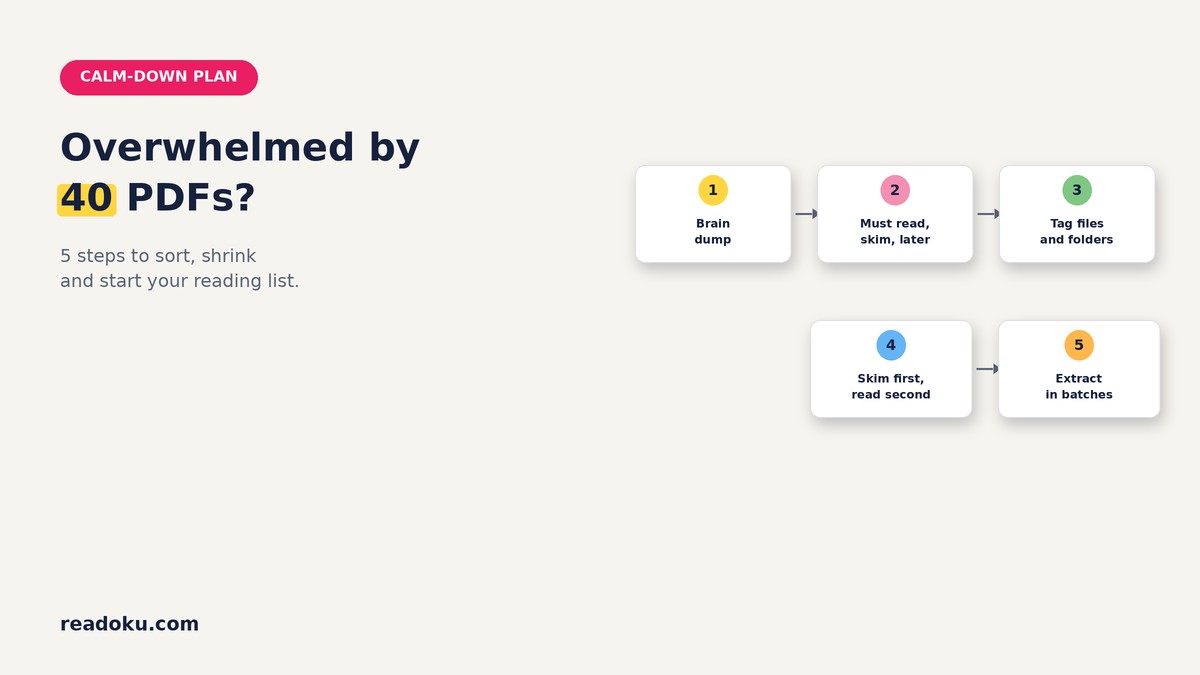
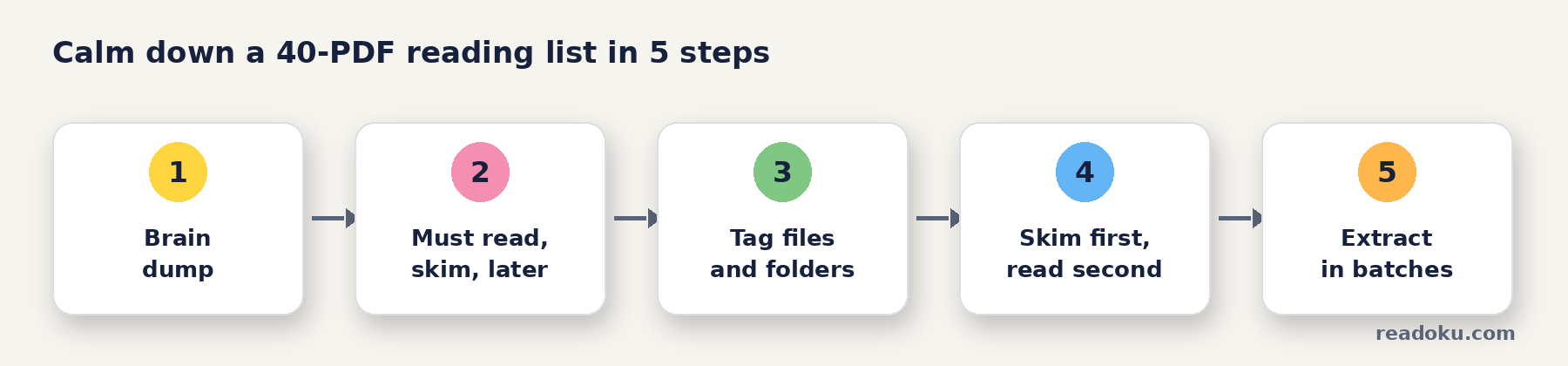
- Stop and write it all down. Get the list out of your head.
- Sort every PDF into three groups: must read, skim, later.
- Tag your files and folders so the groups stay visible.
- Skim first, read deeply second. Only the must-reads get a full read.
- Extract highlights in batches so your notes keep up with your reading.
Why does a long reading list feel so stressful?
A huge list feels like one giant, unfinished task. Unfinished tasks tend to keep popping into your mind, which makes it hard to focus on anything.
There's good news. In a series of experiments, simply making a specific plan for an unfinished goal reduced these distracting thoughts (Masicampo and Baumeister, 2011). You don't have to finish the list to feel calmer. You just need a plan.
What is the 5-step calm-down plan?
Step 1: Brain dump (5 minutes)
Write every reading on one list: title, course and deadline. Seeing it on paper often makes it smaller than it felt.
Step 2: Sort into three groups (10 minutes)
Look at each PDF's title and abstract only. Then decide:
- Must read: directly needed for your essay, exam or chapter
- Skim: useful background, but not central
- Later: interesting, not needed now
Be honest. Most long lists have only a handful of true must-reads.
Step 3: Tag your files and folders
Make the groups visible so you don't sort again tomorrow.
- Create a folder per course or project.
- Add tags such as "must-read", "skim" and "later" to your files and folders in Readoku.
- Open only the "must-read" group when you sit down to work.
Step 4: Skim first, read deeply second
Not every paper deserves a full read. A popular guide suggests reading papers in passes: first a quick look at the title, abstract, headings and conclusions, then a closer read only if needed (Keshav, 2007).
- Skim pass (5 to 10 minutes): abstract, headings, figures, conclusion.
- Decide: does it move to "must read" or stay a skim?
- Deep read: only for must-reads, with highlights and comments.
Step 5: Extract highlights in batches
Waiting until the end to sort your notes is where overwhelm comes back. Instead:
- Every few days, upload the PDFs you've highlighted at readoku.com/extract-highlights.
- Extract several PDFs at once and download them together as a ZIP, or as Word, Excel, JSON or Text.
- Keep one notes file per topic. Your reading and your notes now grow together.
To turn those notes into a review, see how to build a literature review matrix from PDF highlights.
How much should you read each day?
Choose a small daily number, for example two skims and one deep read. Then stop, even if you have energy left. Steady and repeatable is calmer than a weekend marathon.
What if the list keeps growing?
- Add new PDFs straight to "later" unless they're clearly needed now.
- Review your tags once a week. Move things up or down.
- Remove what no longer fits your project.
What should you do when panic hits anyway?
- Close everything except one PDF.
- Set a 15-minute timer and skim just that one.
- Remind yourself: "I only need to read the next thing."
If stress stays high for a long time, talk to someone you trust or your university's counselling service.
Good to know
- Sign-in required to upload. Free accounts get 3 uploads in total, so long reading lists are easier with a subscription. There is no free trial.
- Exports: Word, Excel, JSON, Text and copy to clipboard. Multiple PDFs download as a ZIP.
- Price: EUR 2/month or EUR 12/year (EUR 1/month, 50% off), with a 14-day refund.
FAQ
How do I decide what's a must-read?
Ask: "Will I cite this or use it directly?" If yes, it's a must-read. If maybe, skim it first.
Is it okay not to read everything on the list?
Usually, yes. Reading lists often contain more than you need. Check with your tutor if you're unsure.
How long should the sorting step take?
About 10 to 20 minutes for 40 PDFs, if you look only at titles and abstracts.
Can I extract highlights from many PDFs at once?
Yes. Upload several highlighted PDFs and download all the highlights together as a ZIP.
Calm your reading list today
Spend 20 minutes on steps 1 to 3. Then open one must-read, highlight what matters and extract your notes when you're done.