If you have ever stared at a folder of twenty highlighted PDFs the night before an annotated bibliography is due, you know the feeling. You did the reading. The highlights are right there. But turning them into twenty polished, citation-ready annotations still feels like starting from zero.
The problem is not your reading. It is the gap between marking a PDF and writing about it. Most students highlight in one sitting, then reopen every file, re-skim every page, and retype every quote when it is time to write. That second pass is where half of your time disappears.
This guide shows you a repeatable workflow for writing an annotated bibliography directly from your PDF highlights. You will learn how to read with the final annotation in mind, how to color-code highlights so each one maps to a part of the annotation, and how to extract everything (with page numbers and APA citations) in one step using Readoku's PDF Highlight Extractor.
What an Annotated Bibliography Actually Needs
An annotated bibliography is a list of sources, each followed by a short paragraph (usually 100 to 200 words) that does three jobs:
- Summarize what the source argues and how the authors got there.
- Evaluate the source: its strengths, weaknesses, and credibility.
- Reflect on how the source fits your own project, essay, or thesis.
Each entry also starts with a full reference. In APA 7, that means author, year, title, and source details, formatted with a hanging indent. If you need a refresher, our APA Reference List Guide (7th Edition) walks through every common source type.
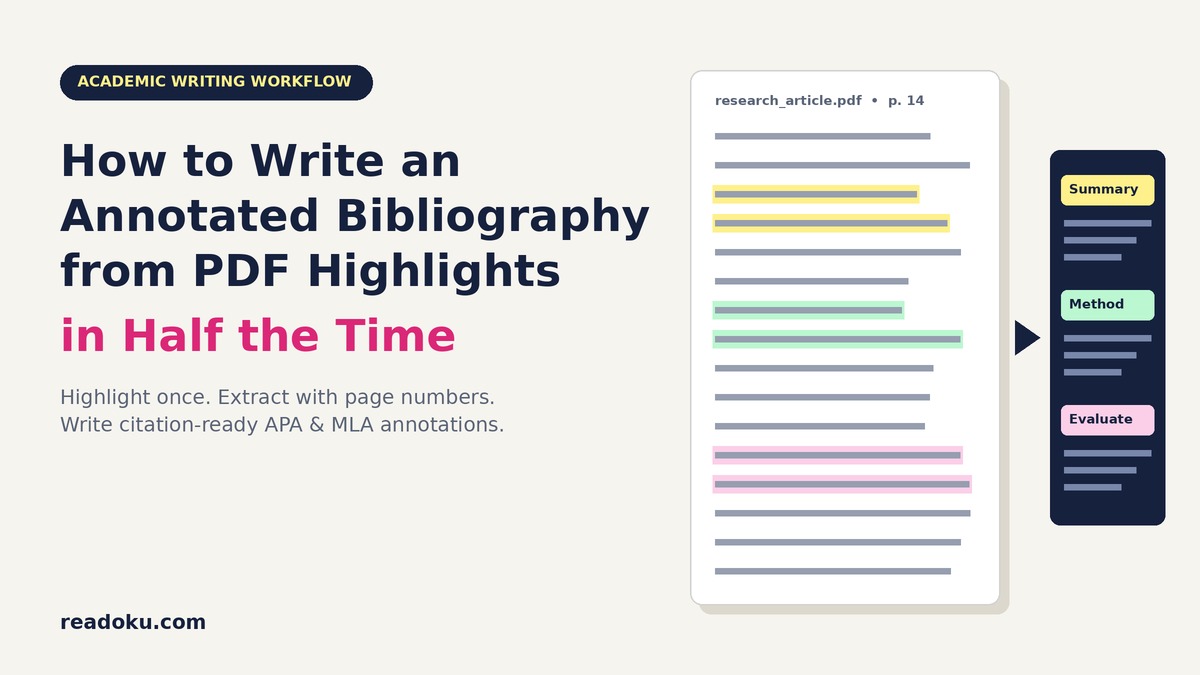
Here is the key insight: those three jobs map neatly onto three kinds of highlights. If you highlight with the annotation in mind, the annotation almost writes itself.
Why the Usual Workflow Takes Twice as Long
Most students follow a pattern like this:
- Download a paper and highlight anything that seems important, usually all in yellow.
- Repeat for fifteen to thirty sources over several weeks.
- When the deadline arrives, reopen each PDF, scroll back through the highlights, and try to remember why each one mattered.
- Copy quotes into a document, look up page numbers, and format the reference by hand.
Every step after the first is re-work. You are paying twice for the same reading: once when you highlight, and again when you hunt for those highlights. The single-color habit makes it worse, because a yellow sentence about the method looks identical to a yellow sentence about a limitation. (We cover this trap in detail in Why Most People Highlight Wrong.)
The fix is to make every highlight do double duty: it marks the text and it pre-sorts that text into the section of the annotation where it belongs.
Step 1: Set Up a 3-Color Annotation Code Before You Read
Before opening your first source, assign one color to each job of an annotated bibliography. Keep the code identical across every source in the project.
| Color | Annotation job | What to highlight | |---|---|---| | Yellow | Summary | Research question, main argument, key findings | | Green | Method & evidence | Study design, sample, data, or type of argument | | Pink | Evaluation & relevance | Limitations, strengths, contradictions, links to your topic |
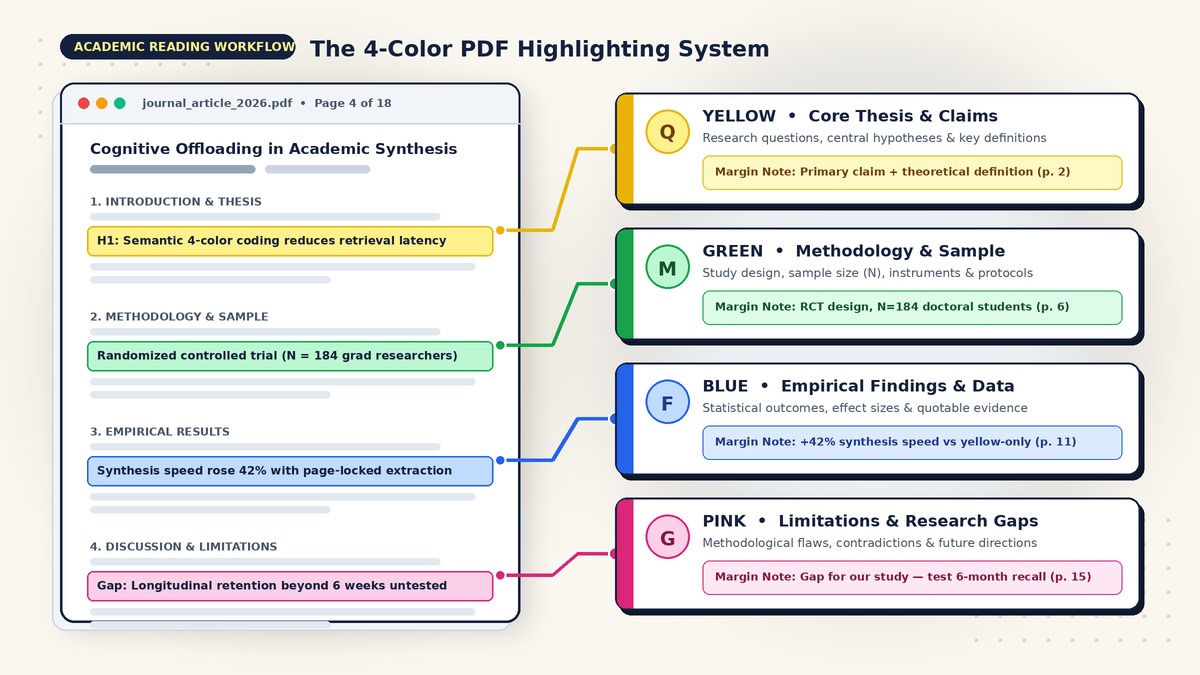
If you already use our 4-color PDF highlighting system, you can keep it. Just treat Blue (findings) as part of your summary.
Two rules keep this code useful:
- Highlight sentences, not paragraphs. Aim for 4 to 10 highlights per source. An annotation is short, so you only need a handful of strong raw sentences.
- Add a margin note to every Pink highlight. Pink highlights are where your judgment lives. A note like
small sample, only undergradsorsupports my chapter 2 argumentsaves you from re-deriving that thought later.
Step 2: Read Each Source with the Annotation in Mind
As you read, ask three questions and highlight the sentence that answers each one:
- What is this source claiming? (Yellow)
- How do they know? (Green)
- Should I trust it, and why does it matter to me? (Pink)
Most of your Yellow highlights will sit in the abstract, the end of the introduction, and the conclusion. Green lives in the methods section. Pink tends to appear in the discussion and limitations, plus anywhere you personally disagree.
Example: highlights from a single source
Imagine you are writing an annotated bibliography on screen reading and comprehension. Here is what a focused set of highlights might look like for one illustrative source (the study and quotes below are examples, not a real citation):
- Yellow (p. 2): "We examine whether students comprehend long expository texts differently on screens than on paper."
- Yellow (p. 14): "Comprehension scores were lower in the screen condition, but only under time pressure."
- Green (p. 6): "Participants were undergraduate psychology students who read two texts under timed and untimed conditions."
- Pink (p. 17): "The sample was limited to a single university, and the reading texts were short."
- Margin note:
limited generalizability, short texts only
- Margin note:
- Pink (p. 18): "Future research should examine longer academic texts and annotation behaviors."
- Margin note:
gap my project addresses
- Margin note:
Five highlights. That is all you need for a strong annotation.
Step 3: Extract All Highlights with Page Numbers and Citations
This is where the time savings come from. Instead of reopening each PDF and copying highlights by hand, extract them all at once.
- Open the Readoku PDF Highlight Extractor and upload your highlighted PDF. Highlights made in Adobe Acrobat, macOS Preview, Zotero, or most other PDF readers are supported.
- Readoku pulls out every highlight and comment with its page number and its original color.
- Use the color filter to view one stream at a time: all your Yellow summary material, then Green, then Pink. (See how to filter highlights by color for details.)
- Add an APA 7 in-text citation to your highlights. Readoku can auto-fill citation metadata with AI (authors, year, title, journal, volume, pages), and it detects the real printed page number in the article rather than the PDF viewer index. You can review and edit everything before saving. More on this in Introducing In-Text Citations in Readoku.
- Export to Word, with the option to include in-text citations and an automatically generated reference list.
You now have one document per source, already sorted by annotation job, with quotes, page numbers, and the reference ready to paste.
Step 4: Turn Color Streams into a Polished Annotation
With your extracted highlights in front of you, write each annotation in three short moves. Paraphrase rather than quote whenever you can; annotations are mostly in your own words.
Move 1: Summary (2 to 3 sentences, from Yellow). State the research question and the main finding.
Move 2: Method and evidence (1 to 2 sentences, from Green). Describe how the authors reached their conclusion.
Move 3: Evaluation and relevance (2 to 3 sentences, from Pink). Name a strength or limitation, then explain how the source helps your project.
Before: the raw extracted highlights
Yellow, p. 2: "We examine whether students comprehend long expository texts differently on screens than on paper." Yellow, p. 14: "Comprehension scores were lower in the screen condition, but only under time pressure." Green, p. 6: "Participants were undergraduate psychology students who read two texts under timed and untimed conditions." Pink, p. 17: "The sample was limited to a single university, and the reading texts were short." (note: limited generalizability) Pink, p. 18: "Future research should examine longer academic texts and annotation behaviors." (note: gap my project addresses)
After: the finished APA annotation (illustrative)
Author, A. A., & Author, B. B. (Year). Title of the article. Journal Name, Volume(Issue), pages.
This study investigates whether reading medium affects comprehension of expository texts. The authors find that students who read on screens scored lower than those who read on paper, but only when working under time pressure. Using a sample of undergraduate psychology students who read two texts in timed and untimed conditions, the study isolates time pressure as the key factor behind the screen disadvantage. Its main limitation is scope: participants came from a single university and the texts were short, so the results may not transfer to long academic articles. Even so, the source is useful for my project because it identifies annotation behavior during longer readings as an open question, which is exactly what my study examines.
That annotation took a few minutes because every sentence had a highlight behind it. You were not searching; you were translating.
Annotated Bibliography Formats: APA vs. MLA
The workflow is the same for both styles. Only the reference format and a few conventions change.
- APA 7: Reference entry with a hanging indent, followed by the annotation as an indented paragraph. Use author-date in-text citations when you mention other sources inside an annotation. Our APA In-Text Citation Guide (7th Edition) covers the rules.
- MLA 9: Works Cited entry (author, title, container, publisher, date, location), followed by the annotation, indented and double-spaced like the rest of the list.
Always check your instructor's or journal's guidelines. Some ask only for summaries (descriptive annotations); others expect evaluation and reflection (critical annotations). The 3-color code handles both: for a descriptive annotation, simply lean on Yellow and Green.
Annotated Bibliography vs. Literature Review Matrix
Students often ask whether they need both. They serve different purposes:
- An annotated bibliography evaluates sources one at a time. Each entry stands alone.
- A literature review matrix compares sources side by side across columns like research question, method, findings, and gaps, so you can spot patterns.
The good news: the same color-coded highlights feed both. Your Yellow, Green, and Pink streams become matrix columns with almost no extra work. If you are moving from an annotated bibliography toward a full literature review, read How to Build a Literature Review Matrix from PDF Highlights in 15 Minutes.
A Weekly Rhythm That Keeps You Ahead
Annotated bibliographies get painful when you batch all the writing at the end. Try this rhythm instead:
- Read and highlight two to four sources per session using the 3-color code.
- Extract immediately after each session while the reading is fresh.
- Draft the annotation within 24 hours. Your margin notes are still meaningful, and the evaluation comes naturally.
- Collect everything in one master document, sorted alphabetically by first author.
- Do a final pass for consistency: same length, same tense, same structure in every entry.
By the deadline, you are editing, not writing.
Common Mistakes to Avoid
- Quoting instead of paraphrasing. An annotation full of quotes reads like a highlight dump. Use your highlights as raw material, then rewrite them in your own words.
- Skipping the evaluation. Summary alone is the weakest kind of annotation. Your Pink highlights and margin notes are what make an entry critical.
- Forgetting relevance. Every annotation should answer: why is this source in my bibliography?
- Wrong page numbers. Citing the PDF viewer's page instead of the printed journal page is a common error. Readoku's real page number detection helps here.
- Inconsistent formatting. Pick one citation style and apply it to every entry.
Quick Checklist
Before you submit, confirm each entry has:
- [ ] A correctly formatted reference (APA or MLA)
- [ ] A summary of the main argument and findings
- [ ] A sentence on method or type of evidence
- [ ] At least one strength or limitation
- [ ] A clear statement of relevance to your project
- [ ] Mostly paraphrased text, with accurate page numbers for any quotes
Start Your Annotated Bibliography Today
You do not need a new note-taking app or a complicated template. You need highlights that already know where they belong, and a fast way to get them out of your PDFs.
Set up your 3-color code, read with the annotation in mind, and let Readoku extract your PDF highlights with page numbers, colors, and APA citations in one step. Your next annotated bibliography can take half the time, and read twice as clearly.