Need to extract underlined text from a PDF, not just yellow highlights? Underlines and strikethroughs are their own kind of mark, and you can pull out all three in one go.
Quick answer
- Open readoku.com/extract-highlights and sign in.
- Upload your PDF with underlines, strikethroughs or highlights.
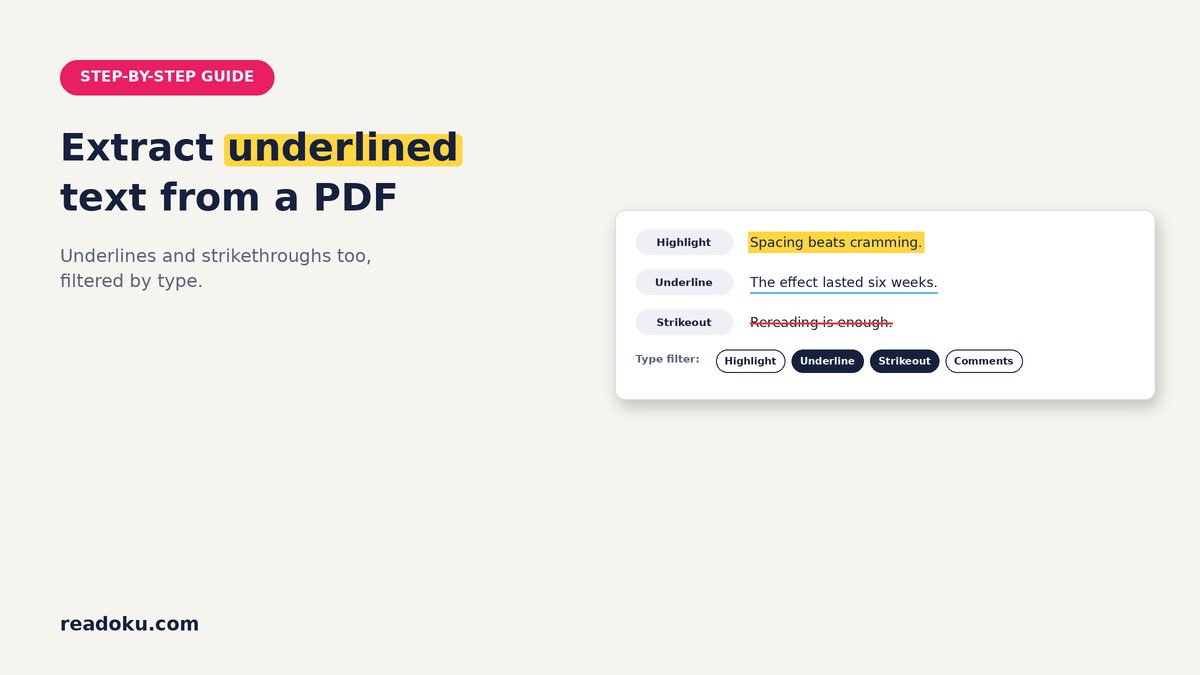
- In the type filter, pick Underline, Strikeout or both.
- Export to Word, Excel, JSON or Text.
Why do many guides miss underlined text?
A PDF stores three separate text marks: highlight, underline and strikeout (strikethrough). Many how-tos only talk about highlights. Readoku reads all three, along with the comment attached to each.
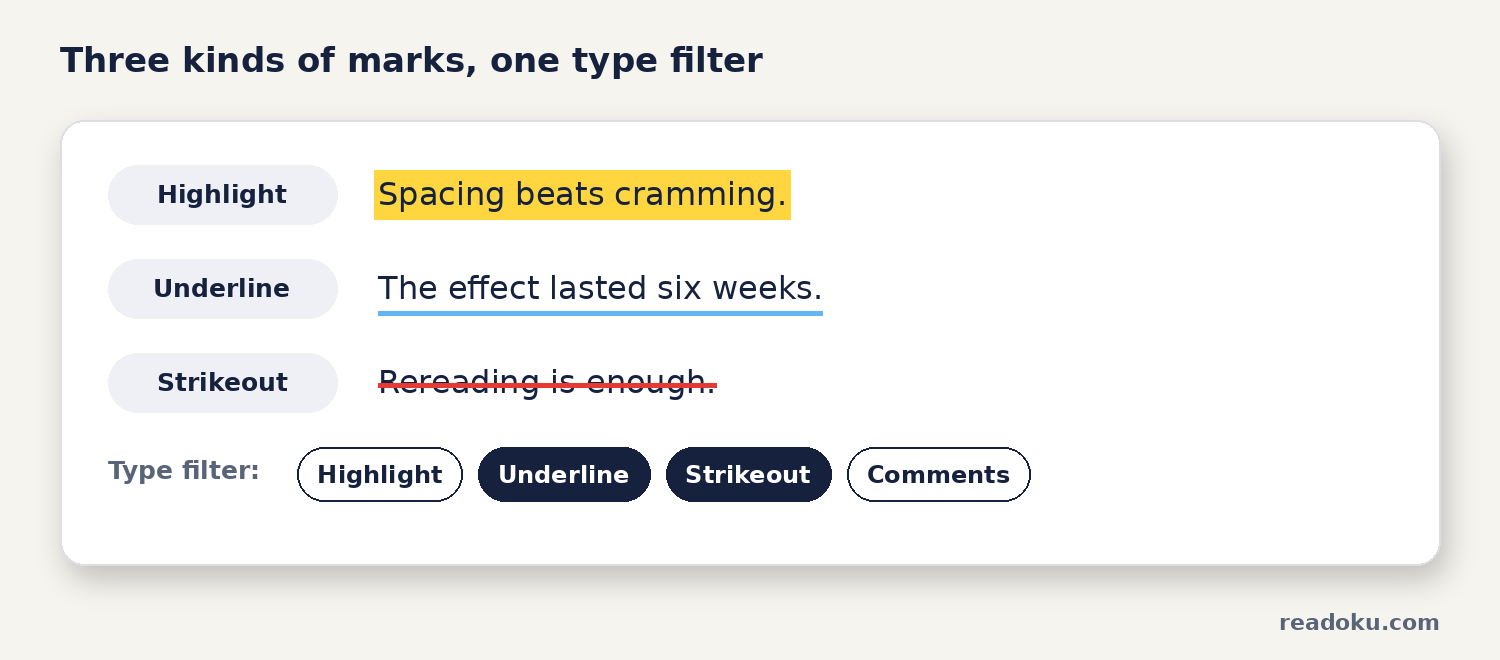
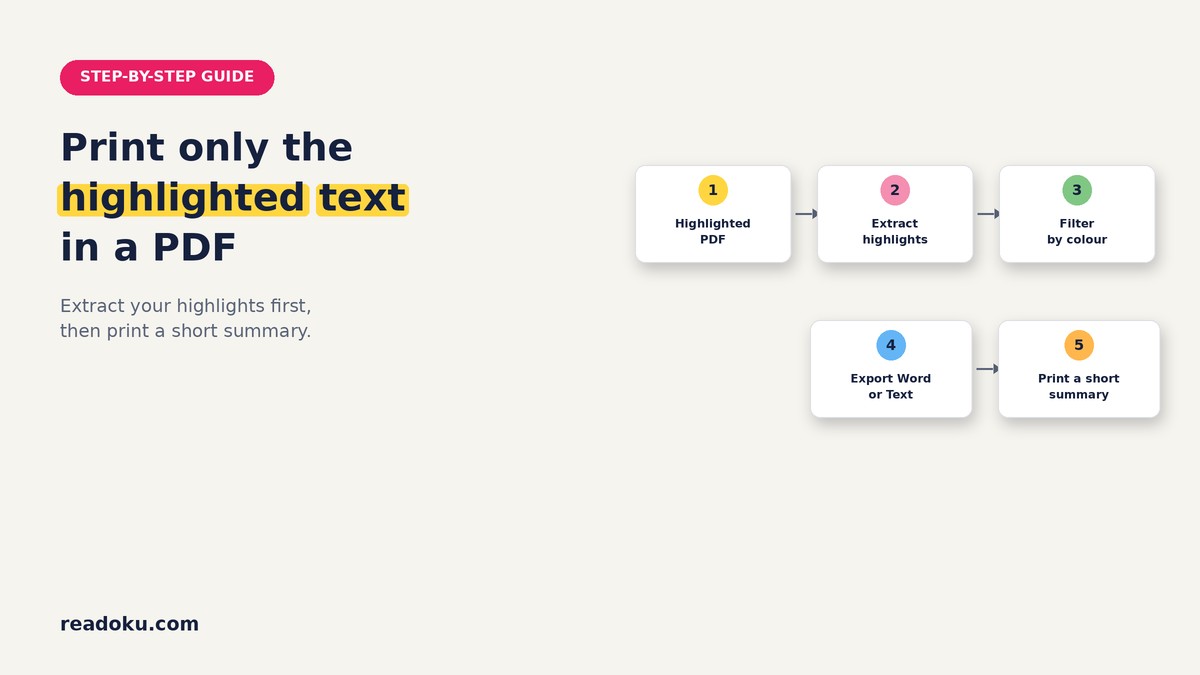
How do you extract underlined text from a PDF, step by step?
- Save your marked PDF. Make sure your underlines and strikethroughs are saved in the file.
- Sign in and upload. Go to the Extract Highlights page, sign in and upload one or several PDFs.
- Filter by type. Choose Highlight, Underline, Strikeout or Comments. Pick one type, or several.
- Filter by colour (optional). Keep, for example, only red underlines.
- Export. Download Word, Excel, JSON or Text, or copy to the clipboard. Several PDFs come as one ZIP.
How can you use underlines and strikeouts as a code?
Different marks can mean different things. A simple example:
- Highlight: Key idea
- Underline: Quote I may use
- Strikeout: I disagree, or it is outdated
Add a short comment to say why. Then export one type at a time:
- Underlines only: your quote bank, ready for your draft.
- Strikeouts only: your list of counterarguments for the discussion section.
- Comments: every mark that has a note attached.
For a colour-based system, see the 4-color PDF highlighting system and how to filter highlights by color.
Which export should you pick?
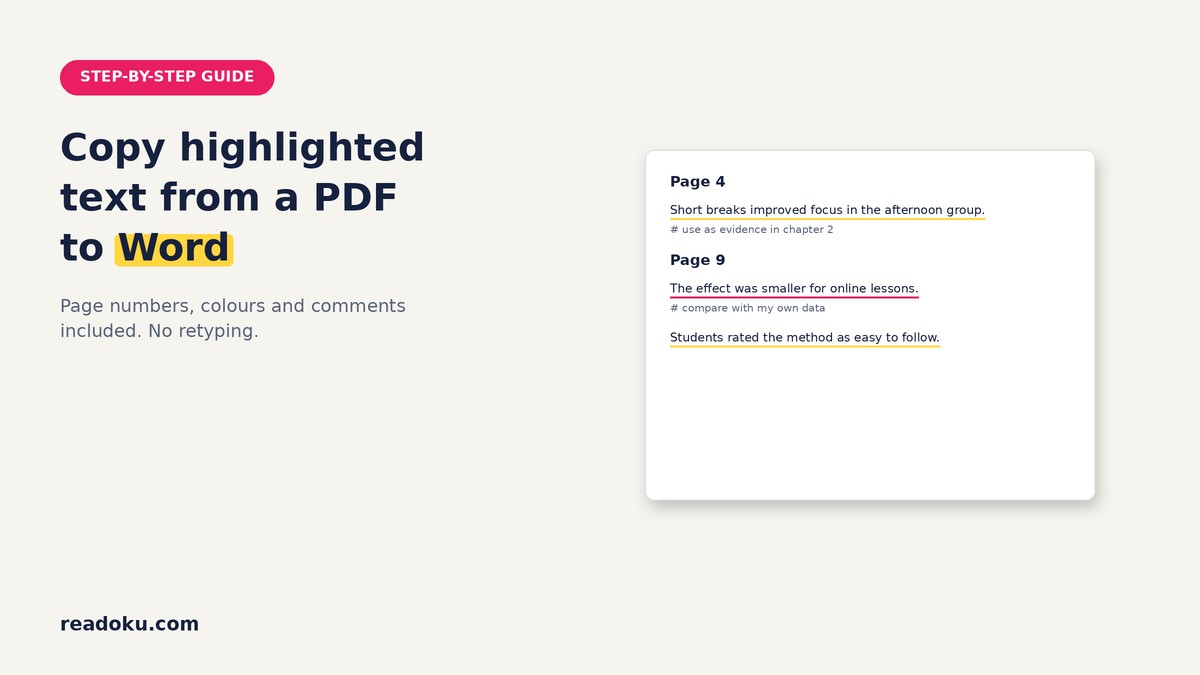
- Word: passages under page headings, underlined in their mark colour, comments below.
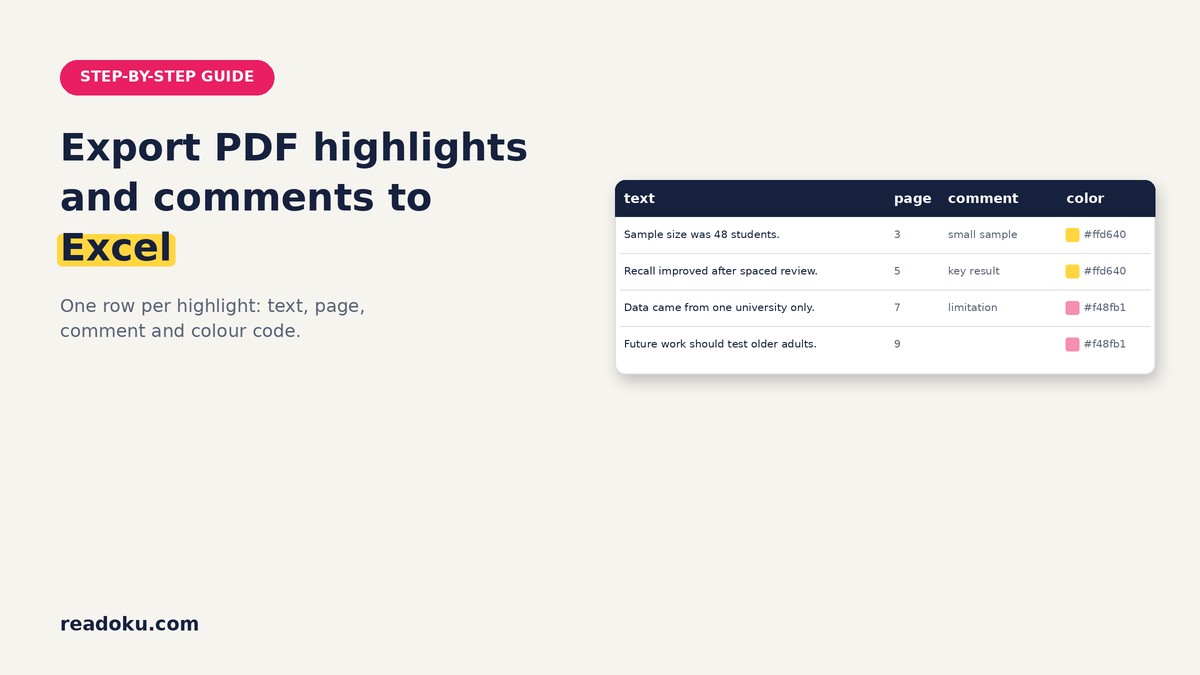
- Excel: one row per mark with text, page, comment and colour code.
- Text: plain and compact.
- JSON: text, page, comment and colour code for your own scripts.
The exports have no type column. To keep types apart, filter and export each type separately.
What about underlines drawn with a pen?
Pen marks on a scanned page are part of the image, not real underlines. The OCR option ("Apply OCR for scanned or pen highlighted PDFs.") finds yellow and pink marker colour. It does not detect underlines or strikethroughs drawn by hand. Details in how to extract highlighted text from a scanned PDF.
Common mistakes
- Expecting standalone sticky notes in the export (only comments on marks are included)
- Exporting all types together, then not knowing which row was a strikeout
- Expecting OCR to find pen underlines
Good to know
- Sign-in required. Free accounts get 3 uploads in total. There is no free trial.
- Formats: Word, Excel, JSON, Text and copy to clipboard.
- Free accounts can OCR PDFs up to 15 pages; subscribers have no page limit.
- Price: EUR 2/month or EUR 12/year (EUR 1/month, 50% off), with a 14-day refund.
FAQ
Can I extract only the underlined text?
Yes. Select only Underline in the type filter before you export.
Are strikethroughs exported too?
Yes. Strikeouts are read like highlights and can be filtered and exported on their own.
Are comments on underlines included?
Yes. A comment attached to an underline or strikeout is exported with it.
Can I extract all highlighted text from a PDF at once?
Yes. Leave all types selected and every highlight, underline and strikeout is exported together.
Pull out every mark, not just the yellow ones
Upload a PDF you marked up and export your underlines in a few clicks. Reading a lot? The EUR 12/year plan takes you past the 3 free uploads.